
Align & Distribute Elements
Align & Distribute Elements
Summary
Select multiple elements by holding shift, then open the three-dot menu to access alignment and distribution tools. You can align elements vertically or horizontally, or distribute them evenly across either axis — useful for creating organized layouts without manual spacing.
Contents
- Hold down the shift key and select all of the elements you…
- Click on the three dot options button to view the option…
- Select the align option of your choice to align elements…
- Select the distribute option of your choice to distribute…
1.
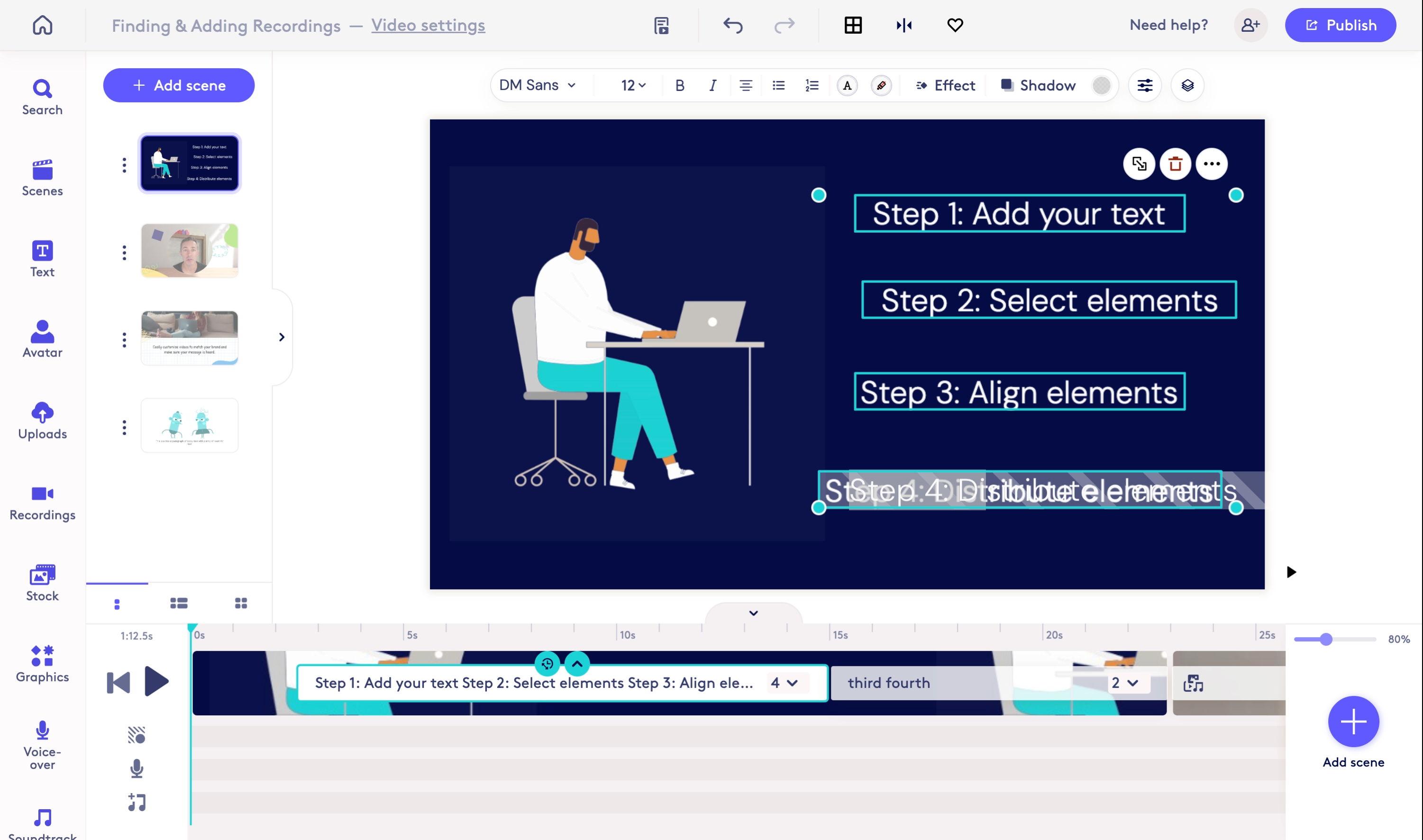
Hold down the shift key and select all of the elements you would like to align or distribute.
2.
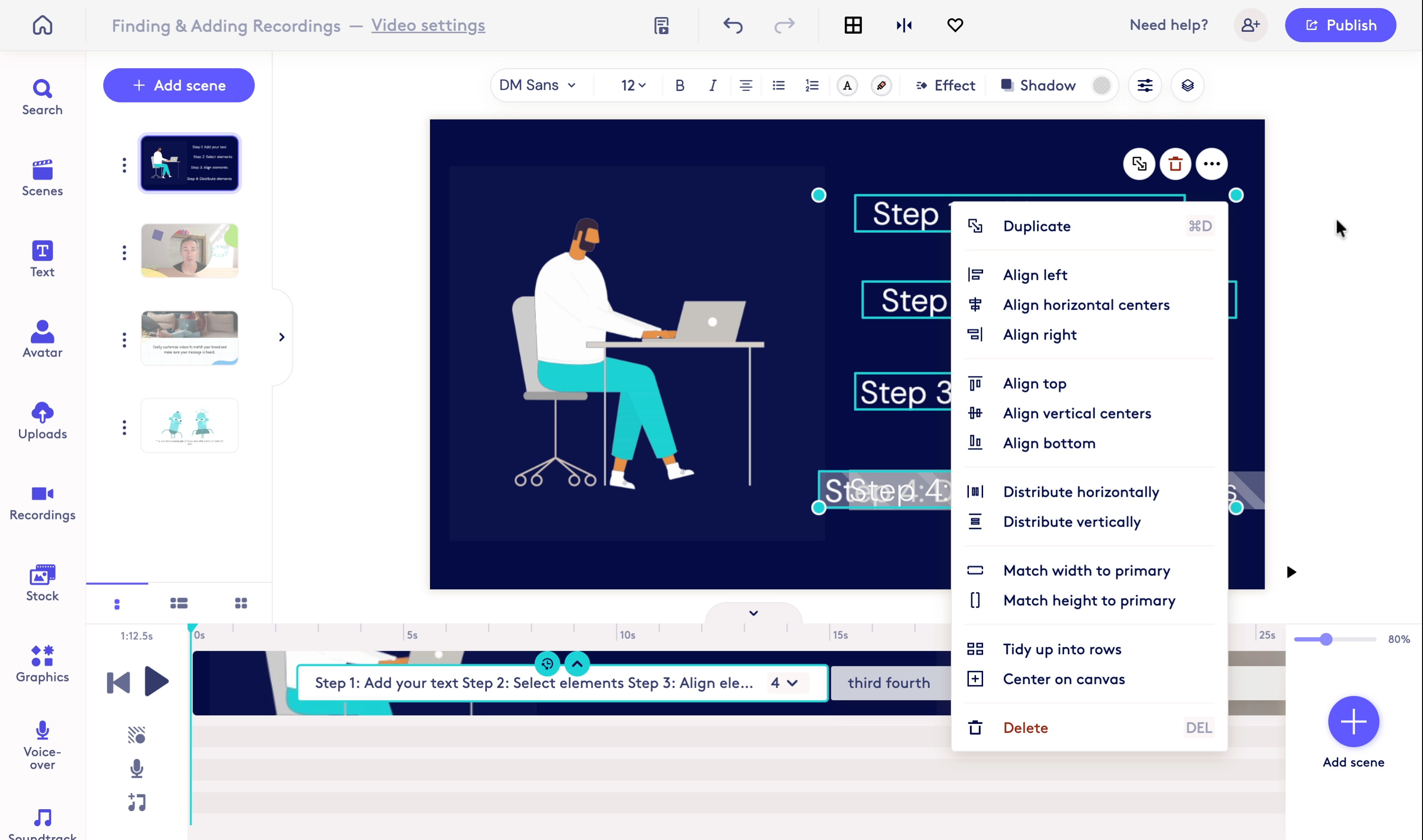
Click on the three dot options button to view the option menu for the selected elements.
3.
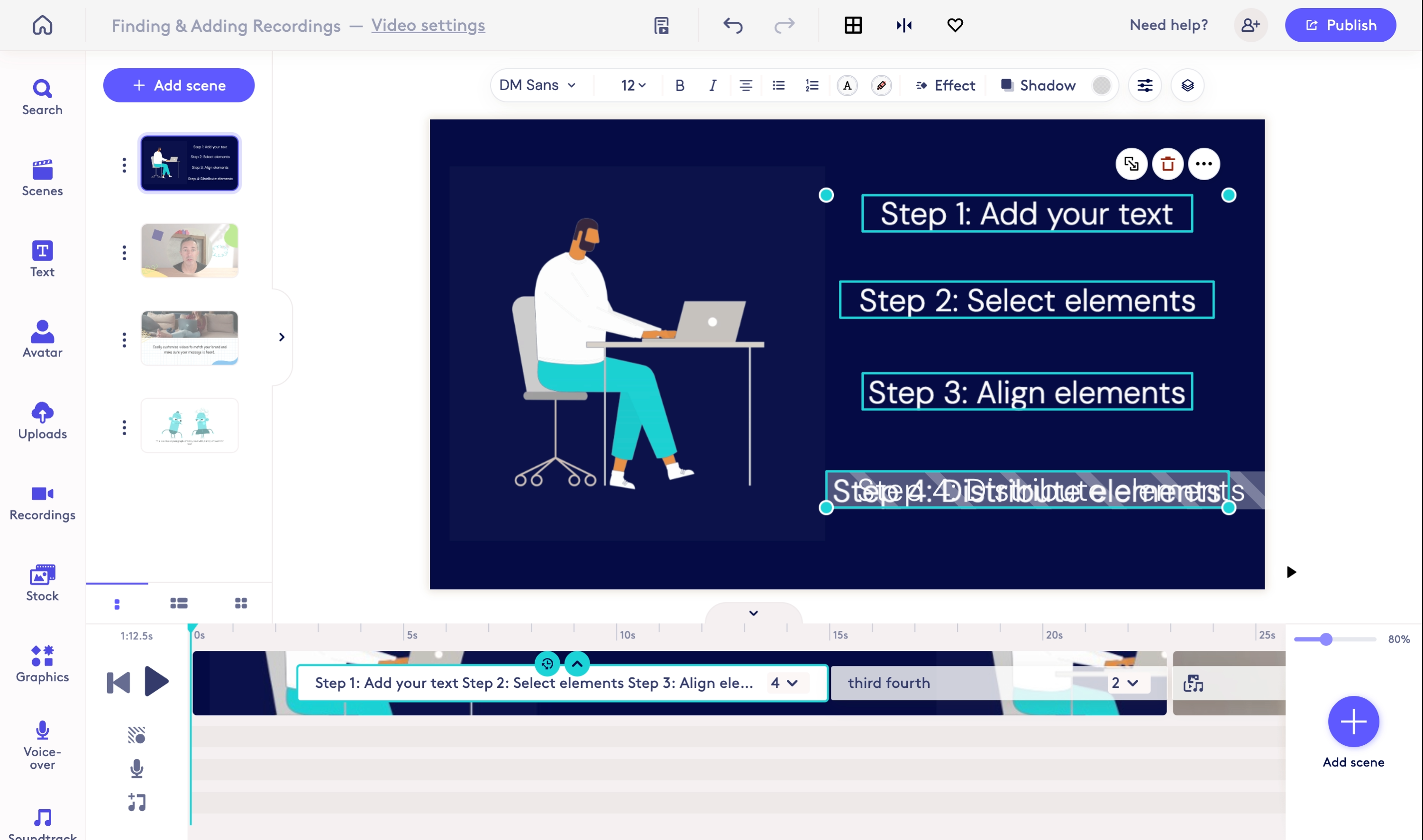
Select the align option of your choice to align elements vertically or horizontally.
4.
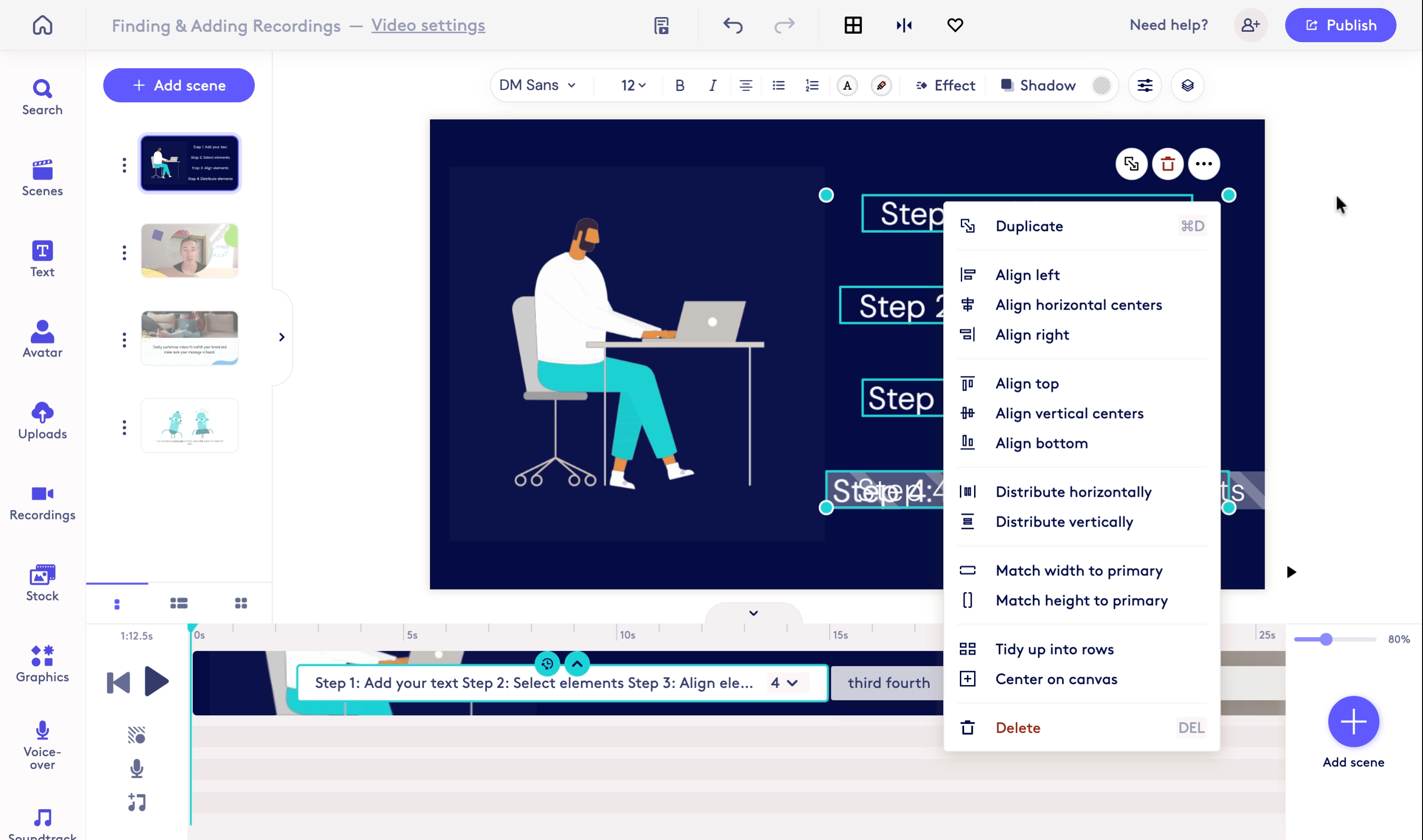
Select the distribute option of your choice to distribute elements vertically or horizontally.
Captured with CobaltCapture.
Updated on: 14/05/2026
Thank you!