

All articles
Delete your account
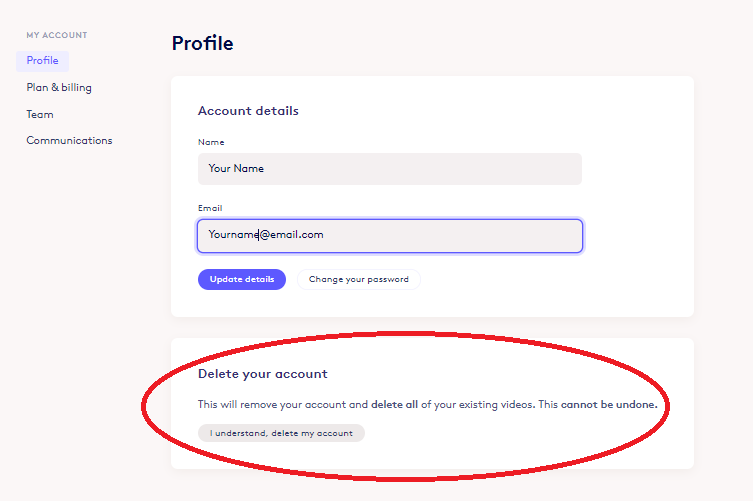
To delete your account, go to My Account → Profile and click Delete Account; this permanently removes your account and all your videos and can’t be undone, so cancel any paid subscription under Plan & Billing first.
Common Questions:
- How do I delete my account?
You can delete your Biteable account by heading to My Account and clicking on the button circled in the image below.
NOTE: This will remove your account and delete allof your existing videos. Thiscannot be undone.
Having trouble deleting your account? It might be because you still have a paid subscription. Make sure to go to "Plan & Billing" to cancel your subscription first.
If you run into any trouble, please contact support.